Personal
Free
- Catches keys and passwords
- Encrypted vault on your device
- Exact-site fill, safe copy
- No account needed
"This key will only be shown once." Close the tab and it's gone. Otter notices the moment a console reveals a new key, offers to keep it, and locks it in a vault that only your passphrase opens.
Personal is free forever. No account, and your vault never leaves your device. Teams is the paid add-on, for sharing keys.
How it works
Otter only steps in when a secret appears, and never saves anything you didn't say yes to.
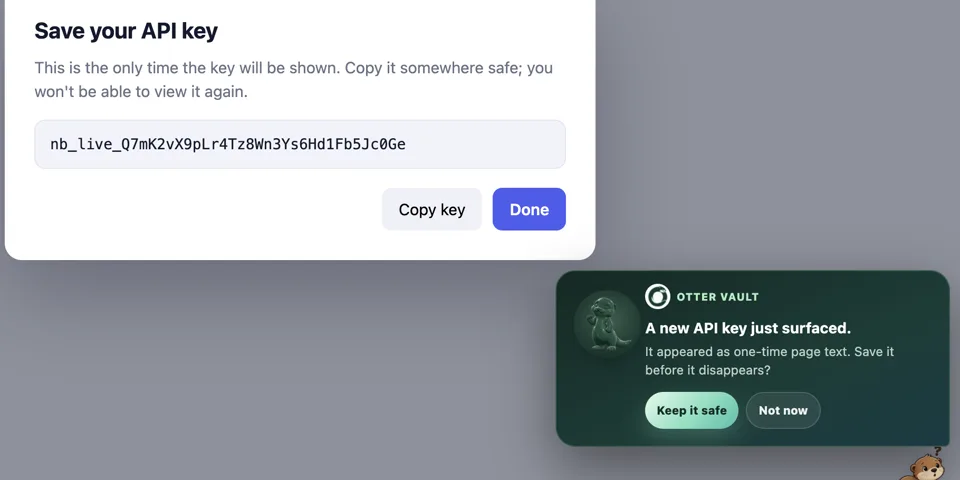
A console shows a new key once. Otter spots it and offers to keep it.
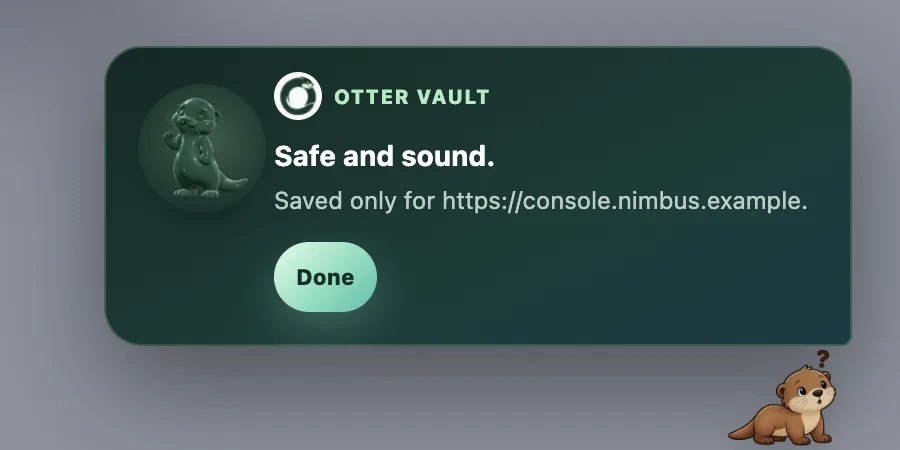
One click encrypts it with your passphrase, label and site included.
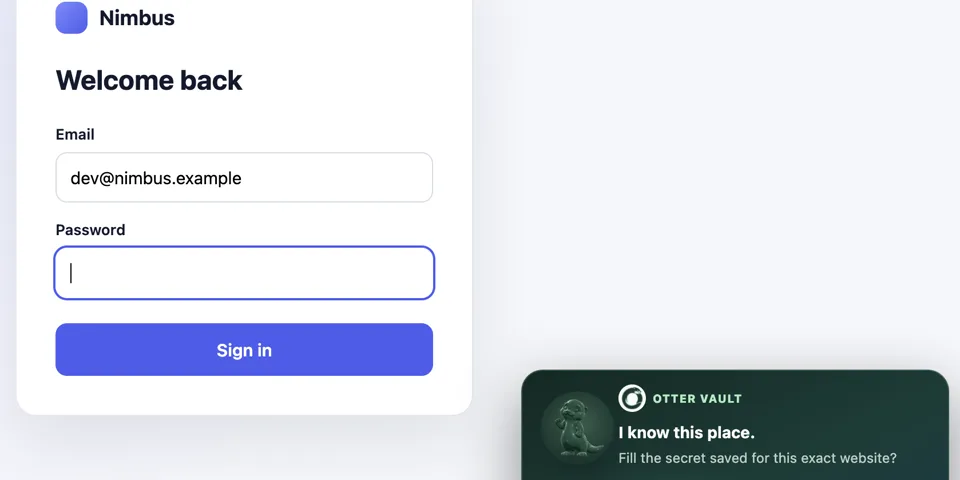
Only on the exact site it came from. Lookalike domains get nothing.
Security
Your passphrase never leaves your device, and nobody, including us, can recover it. That's the point.
AES-256-GCMEvery record is encrypted, metadata included, with a fresh nonce each time.
PBKDF2 · 600,000Rounds of SHA-256 between your passphrase and the key that opens the vault.
exact-origin fillSame protocol, host and port, or no fill at all. Lookalike domains get nothing.
no serverThe personal vault makes no network requests. No account, no analytics.
clickjacking-proofThe save and fill prompt only answers a real click on a prompt you can actually see.
137 testsPlus seeded fuzzing, cryptographic known-answer checks and a weekly lab across 12 real provider consoles.
Not independently audited: the code is public so anyone can review it. How Teams protects your keys · Read the code. Found something? Report it.
Otter Teams Live now
For teams of up to ten developers. Every shared key records where it's deployed, so offboarding is a checklist, not an afternoon of guessing. Keys are encrypted on your devices before they're shared: our server stores them but can never read them.
Install Otter, open it and choose Teams. No card needed for the trial.
Pricing
Free
Early-bird price
$29$20/month
For teams that subscribe by November 13, for as long as they stay subscribed. Flat for up to 10 people, free for 21 days, paid by whoever creates the team. Regular price $29/month.
Questions
It looks at pages on your device to spot password fields and keys that have just been revealed. Nothing about a page is stored or sent anywhere. The only thing ever saved is a credential you click to keep.
Then the vault can't be opened, by you or anyone else. The passphrase is never stored or sent, so there's no copy to recover from. That's what makes the encryption mean something.
No. A key is filled only on the exact origin it was saved on: same protocol, host and port. A lookalike domain, a subdomain or plain http gets nothing, and the prompt only reacts to a real click on a prompt you can see.
Install Otter from the Chrome Web Store, open it and choose Teams. Sign in with Google, name your team and invite people by email. The first 21 days are free, and nothing is charged unless the team's owner subscribes.
No. Shared keys and everything about them are encrypted on members' devices with a team key the server never receives. The server sees who is on a team and when a key was used, but never what it is. The privacy policy lists exactly what it stores.
A menu bar app is on its way, with the same vault format and an otter that can follow your pointer. Email me and I'll tell you the day it lands.
Otter Vault is built by one person, Krishna Ganga. Every support email reaches me directly.